iClicker Reactions
Delightful feature instantly boosts engagement and helps assess student sentiment
Summary

Mission
iClicker Reactions introduced lightweight emoji-based feedback that allows students to express sentiment in real time. While playful on the surface, the feature required careful consideration to ensure it added value in a higher-education context without distracting students or undermining instructional flow.
My contributions
As the lead designer, I guided the team from early vision-setting through research, concept exploration, and validation, balancing delight with discipline to create a feature that enhanced classroom connection while respecting instructors’ control.
Kickoff
Project kickoff
I facilitated the initial project kick-off with design and product partners to align on scope, MVP definition, timeline, goals, and key use cases. Together, we surfaced assumptions and concerns early, particularly around distraction, spamming, and the appropriateness of emojis in academic settings. This alignment helped us define a clear MVP while intentionally parking future opportunities, such as allowing students to virtually raise their hands and providing instructors with a queue of students to address.
By explicitly separating what we would build now from what we could explore later, we created focus without closing the door on longer-term evolution.
Research
Before moving into design, I partnered with the research team to shape discovery questions that would help us validate whether reactions could succeed in a classroom environment. Our research goals were to understand how instructors would expect to use reactions, how students would expect to use reactions, and evaluate whether students perceived real value in the feature.
The research team conducted interviews with both students and instructors, giving us critical insight into expectations, hesitations, and opportunities for meaningful use.

Design
Working sessions
While research was underway, I led a series of collaborative working sessions with the design team.
We began by mapping how reactions would integrate with iClicker’s existing settings and in-class states. This surfaced a key risk: students sending reactions during structured activities could create distraction. To address this, we identified the need for a “snooze” mechanism that would automatically disable reactions during activities, which ensured the feature remained lightweight and respectful.
Benchmarking
I also facilitated collaborative benchmarking sessions to explore how similar interaction patterns worked across other platforms. Together, we evaluated custom emojis vs. existing emoji libraries, delightful interactions, which reactions felt appropriate and inclusive in a classroomUI patterns for sending and receiving reactions, how to track and display reaction volume without overwhelming instructors, whether reactions should be ephemeral or persistent, and how to alert instructors when sentiment reached meaningful thresholds
.
These sessions helped the team converge on principles that balanced clarity, delight, and restraint.
Engineering engagement
Throughout the project, I worked closely with engineering partners to understand technical constraints, surface implementation risks, and identify opportunities early. We held regular working sessions to walk through interaction models, discuss limitations, and explore where technical capabilities could meaningfully enhance the experience.
To support this collaboration, I shared detailed demos, low- and high-fidelity prototypes, component references, emoji libraries, and behavioral documentation that clarified intent beyond static screens. These artifacts gave engineering the context they needed to evaluate feasibility, prototype solutions, and help shape the most viable version of the feature. This ensured design ambition remained grounded in technical reality while still pushing for the best possible outcome.
Concept testing & iteration
Using insights from research, collaboration, and ongoing product feedback, I designed low-fidelity concepts and aligned with the team to A/B test two approaches with instructors:
1. In-the-moment reactions that appeared live and disappeared quickly
2. A toolbar-based summary that tracked counts of each reaction type
Instructor feedback revealed that each concept solved different needs. Rather than choosing one, we consolidated the strongest elements of both into a single, more flexible solution.
Outcome
Key decisions
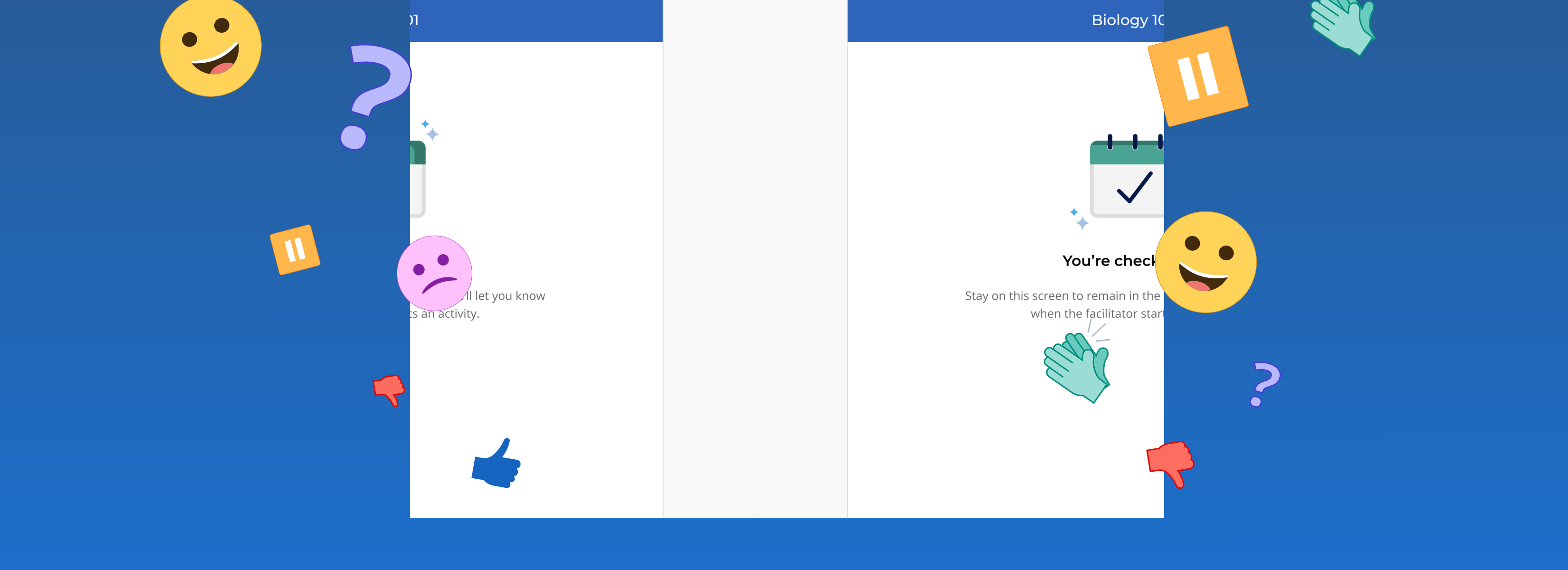
The final concept successfully addressed all of the goals and considerations we had identified for this feature. Reactions appeared in a contained, movable area on the instructor’s screen and appeared in a consistent order to allow for easy understanding at a glance. Reactions cleared automatically after 30 seconds, or instructors could manually clear reactions at any time. Reactions were automatically paused during class activities to avoid interruption during key learning moments in class. This approach preserved spontaneity while preventing overload or distraction.
Impact
Reactions quickly became a favorite feature among iClicker users. Students appreciated the added sense of expression and presence, while instructors gained a fast, low-effort way to gauge classroom sentiment. Unexpected use cases emerged, including informal polling and engagement checks. What began as a small, delightful addition evolved into a meaningful tool for building more responsive and connected classroom experiences.
Reflection
This project reinforced the importance of designing for context, not novelty. By grounding a playful idea in research, constraints, and instructor needs, we transformed emojis from a potential distraction into a trusted engagement signal demonstrating how thoughtful UX can unlock value even in the simplest interactions.

